
 Español
Your first search
A search takes one to two hours. The form takes under two minutes.
Before you start
Section titled “Before you start”You need a confirmed email and at least one token. See Create your account if you have not yet.
Fill in the form
Section titled “Fill in the form”-
In the side menu press New search.
-
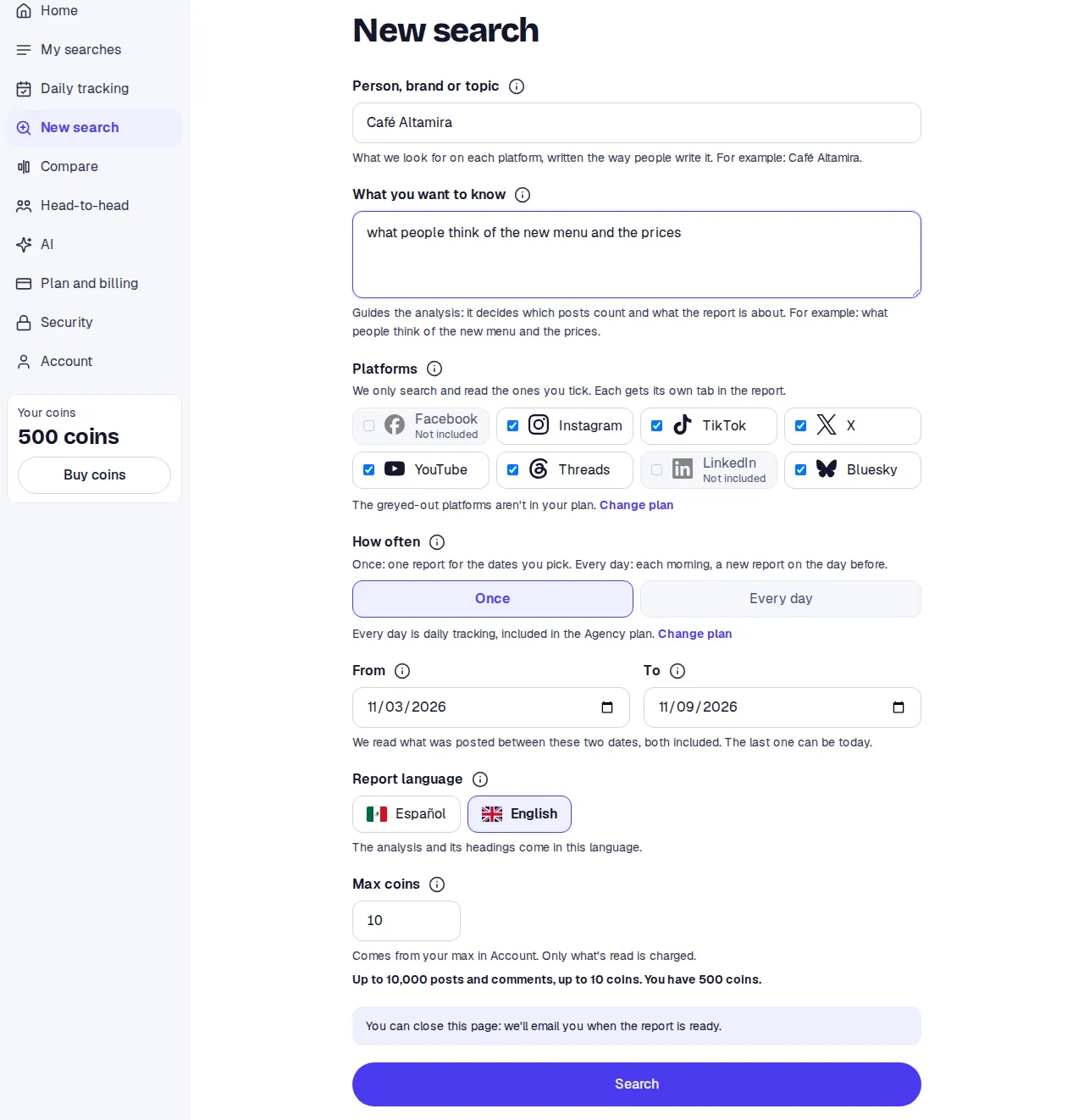
Under Person, brand or topic write the name the way people write it. For example: Café Altamira.
-
Under What you want to know write the question that guides the analysis. For example: what people think of the new menu and the prices. The more specific, the better.
-
Under Platforms leave the ones you want ticked. Your plan’s platforms come ticked; greyed-out ones are not in your plan.
-
Under How often leave Once.
-
Under From and To pick the dates. The last seven days come filled in. Both dates count, and the last one can be today.
-
Pick the Report language.
-
Check Max tokens. It comes from your account. Below it you see up to how many posts and comments it would read and how many tokens you have.
-
Press Search.
While it runs
Section titled “While it runs”You move to the search’s page. First it says Waiting and, if others are ahead, how many and roughly how many minutes. Then it says Reading and counts the platforms read on a bar. The page updates by itself.
You can close it. You get an email when the report is ready. If you change your mind, Cancel search asks first and tells you what comes back.
The report
Section titled “The report”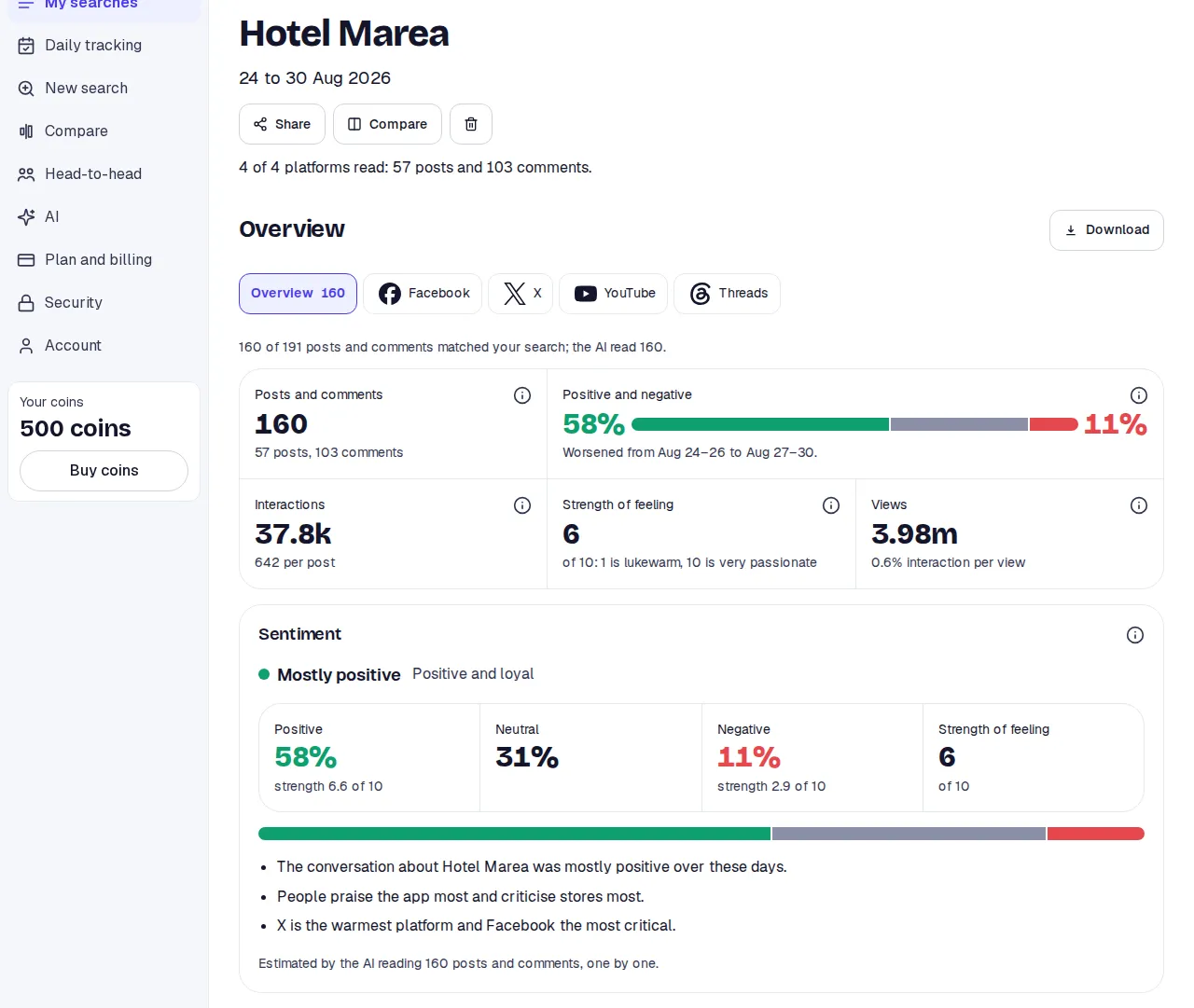
At the top you see the topic, the dates and how many platforms were read, with the total of posts and comments. Below, a row of tabs: Overview and one per platform.
In the Overview, the first card gives the verdict, for example Mostly positive, and the split out of every 100 posts and comments. The next ones go by platform, by theme, by day, the complaints, what to do, the posts that moved most and the emotions.
Every card has an i that explains what it shows and, when there is one, the AI’s reason. See The report to go through it card by card.
What else you can do
Section titled “What else you can do”- Download the PDF, and from Premium the CSV, the Excel or everything as a .zip. Export.
- Share with a private link, no account needed on the other side. Share.
- Compare with another finished search. Compare two searches.
- Open a platform and read every post and comment under Posts and Comments. Posts.