
 Español
Plans
Each plan gives tokens a month and a set of platforms. The report is the same on all of them.
| Plan | Tokens a month | Platforms | People in the account | Price |
|---|---|---|---|---|
| Free | 100 | YouTube, Threads, Bluesky | Just you | €0, no card |
| Premium | 500 | The three of Free plus TikTok, X and Instagram | Up to 3 | €25 a month or €250 a year |
| Agency | 1,500 | All 8: Facebook, Instagram, TikTok, X, YouTube, Threads, LinkedIn and Bluesky | Up to 10 | €149 a month or €1,490 a year |
| Enterprise | Custom | All 8 | Custom | With sales |
- People include the owner. Read How a shared account works.
- The yearly plan costs 10 months: 2 months free.
- Daily tracking is on Agency, up to 10 subjects. Enterprise sets more subjects with sales.
- Downloads (PDF, CSV, XLSX) depend on the plan. The pricing table says which plans include them.
- Tokens you don’t use in the month carry over.
- Prices are in euros. Next to the price we say whether VAT is included or added.
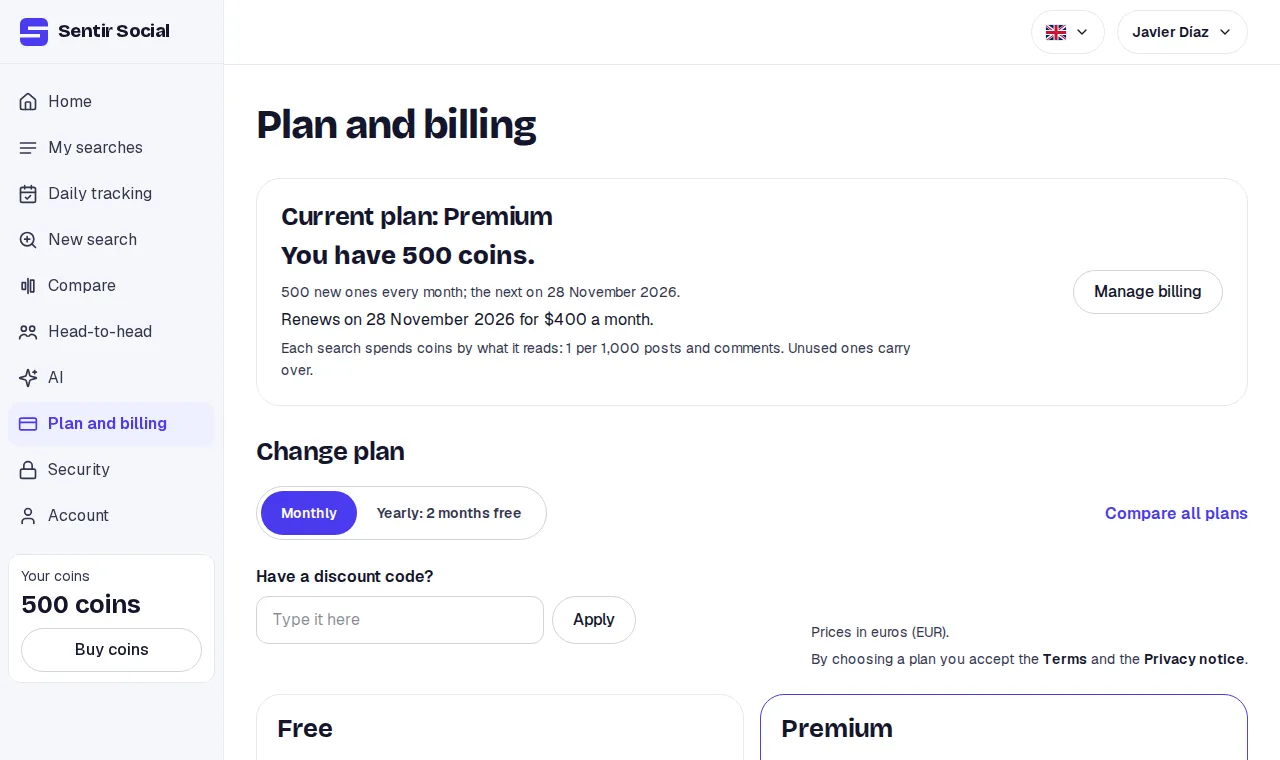
Change plan
Section titled “Change plan”-
Open Plan and billing. The plans are under Change plan.
-
Pick the period, monthly or yearly, and click Choose on the plan.
-
If you have a discount code, type it before choosing.
-
You pay on Stripe’s page. Back on Plan and billing, the plan shows as soon as Stripe confirms the payment.
If you already have a subscription, each plan shows Switch to with its name, for example Switch to Agency. It takes you to Stripe, where you see what you pay before you confirm. You can also switch plan or period under Manage billing.
Cancel
Section titled “Cancel”Click Cancel subscription on Plan and billing: it opens Stripe right at that step. You can also cancel under Manage billing. You keep your plan until the end of the paid period, then move to Free. If you paid and aren’t happy, ask for a refund within 7 days of the charge by writing to info@sentir.mx.
If Sentir gave you the plan, Plan and billing says so: “This plan was given to you by Sentir. Nothing is charged for it.” Then there is no subscription to cancel.
Enterprise
Section titled “Enterprise”For more tokens or more subjects, write to sales from the Contact sales button on the Enterprise plan. They answer by email.