
 Español
Profile, language and time zone
All of this lives under Account, inside your account. Open the menu on the left and click Account.
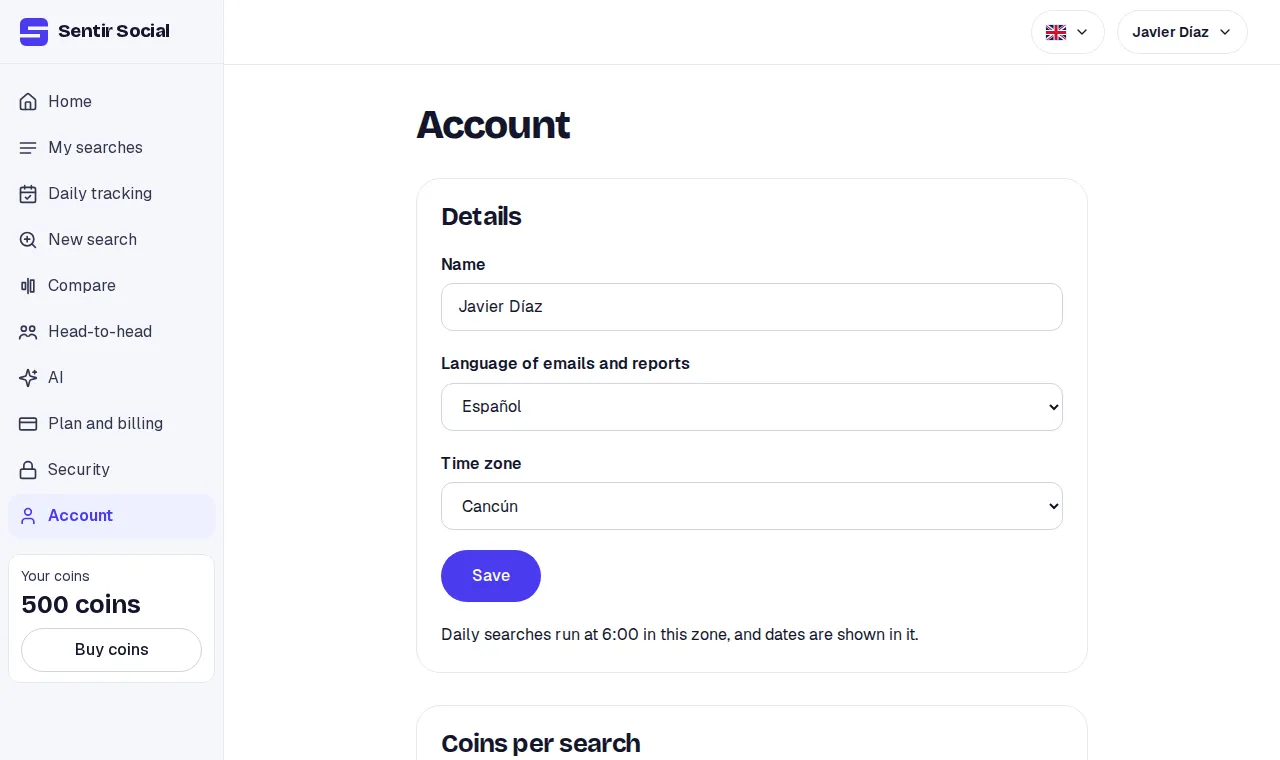
Details
Section titled “Details”-
Name: up to 80 characters. It shows in the top menu and in the emails.
-
Language of emails and reports: Spanish or English. It is the language we write to you in and the default language of each new report. Each search can ask for its own.
-
Time zone: the nearest city. The most common zones come first; then the full list.
-
Click Save. You see “Saved”.
What the time zone does
Section titled “What the time zone does”- Your searches’ dates are shown in that zone.
- Daily trackings run at 6:00 in that zone.
- “Today” for a search’s date range is that zone’s today.
- If you pick none, Mexico City is used.
The site’s language
Section titled “The site’s language”The language you see the site in changes with the language picker in the top bar. It is separate from the language of emails and reports.
Tokens per search
Section titled “Tokens per search”The same page has Cap per search: the cap each new search holds, from 1 to 1,000. The default is 10. What isn’t read isn’t charged. More under How tokens are spent.