
 Español
What you can do
Sentir is an MCP server. Your AI (Claude, Codex, ChatGPT, Cursor or VS Code with Copilot) connects to it and can start searches, read reports and compare, from your chat or your editor.
You need no access key. You paste an address and, when the AI asks, you sign in with your Sentir account.
How it works
Section titled “How it works”-
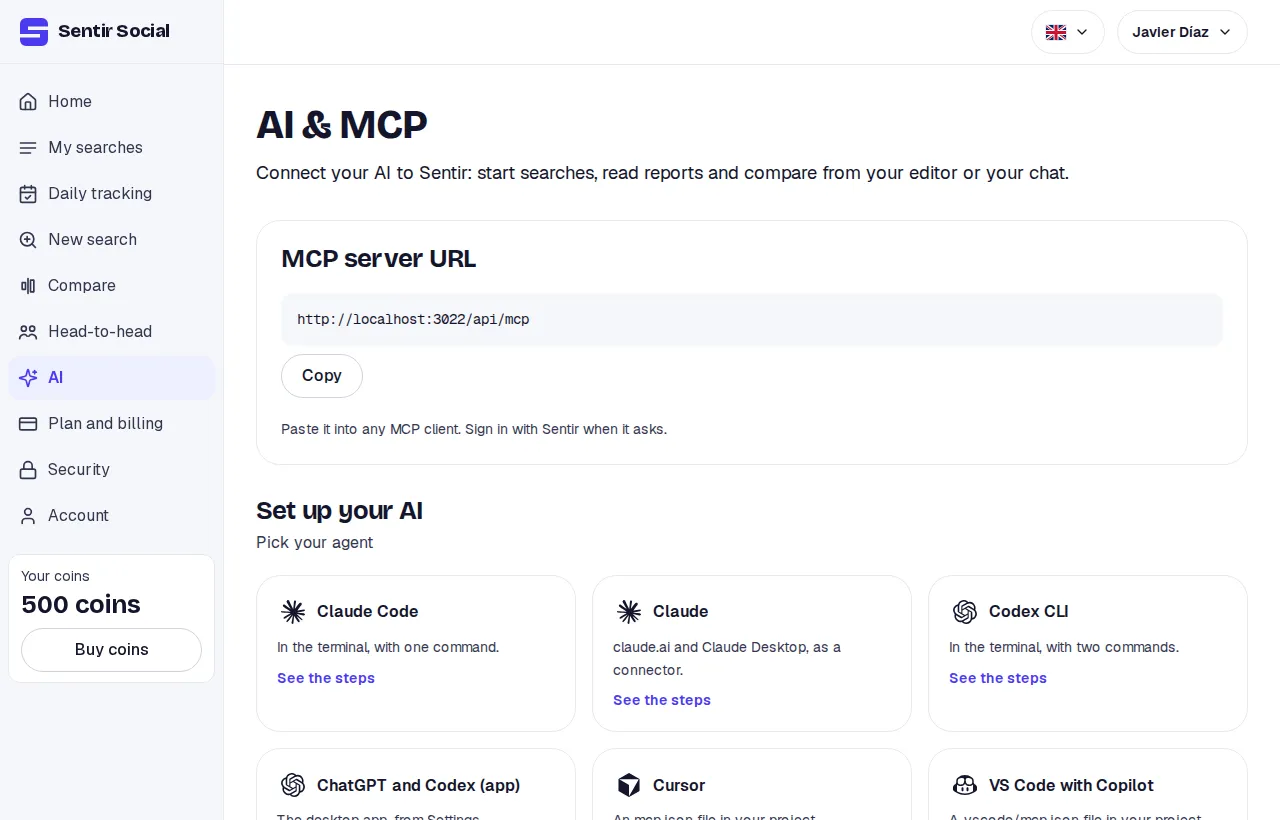
Open the AI & MCP tab of your account and copy the MCP server URL.
-
Paste it into your AI. The page has the exact steps for each one: Connect your AI.
-
The AI opens your browser on Sentir. If you have no session, you log in.
-
You see the permission screen: what that AI may do with your account and how many tokens it may spend per search. You click Allow.
-
You go back to your AI. You can now ask it things in your own words.
What you can ask
Section titled “What you can ask”- “Search what people say about Brand X on Instagram and TikTok this week and tell me how the sentiment looks.”
- “Read my latest report and sum up the three most repeated complaints, with examples.”
- “Compare my two October searches: which had the better sentiment, and on which platform.”
The AI uses the server’s tools. A search asked from the AI is a normal search: it shows under My searches and spends tokens the same way.
What to expect
Section titled “What to expect”- Before spending tokens, the AI asks you to confirm. Without your yes, nothing starts.
- Every search the AI starts respects the token cap you set when you allowed it.
- Reports reach the AI as text. The links take you to the full report in Sentir.
Limits
Section titled “Limits”- The AI works in one account only: the one you had open when you connected it. Another account’s search doesn’t exist for it.
- It does only what your role in that account allows. If you are a viewer, it only reads.
- Your plan’s rules hold as usual: platforms, daily tracking and date range.