
 Español
Compare two searches
A comparison sets two searches you have already finished against each other: the same topic on other dates, or two different topics. The AI reads both reports and writes what changed. It reads no new posts.
Creating a comparison
Section titled “Creating a comparison”-
Open Compare two searches. It is in three places: the link at the foot of Compare, the button on the Head-to-head tab, and the Compare button in the header of any finished report, which comes with that search as A.
-
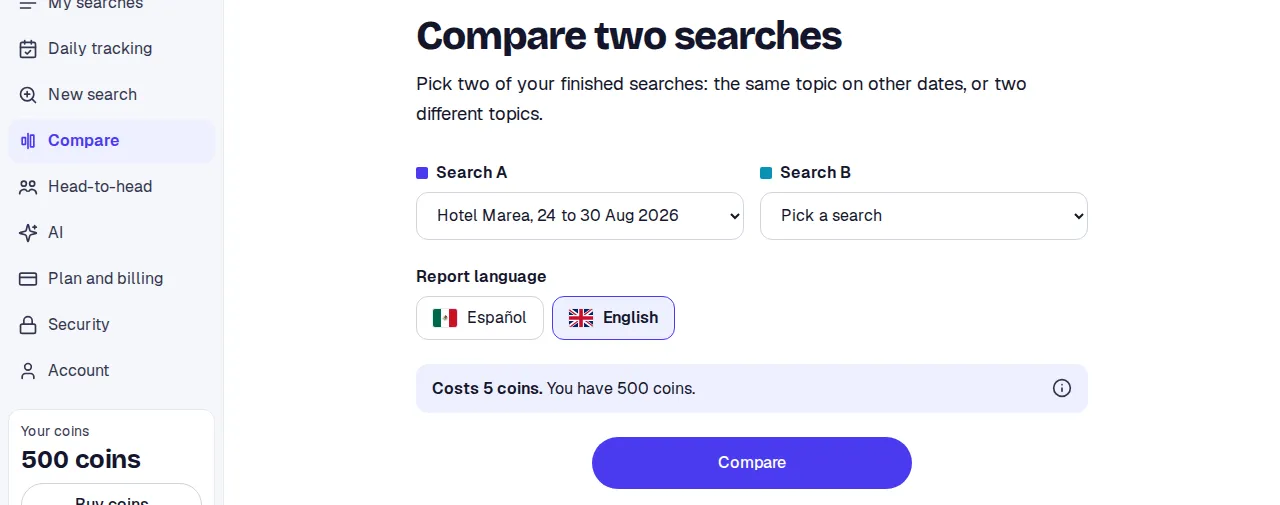
Pick Search A and Search B among your finished searches. Tracking days count too.
-
Check the Cost: 5 tokens, always the same. Below it says how many you have.
-
Press Compare.
You move to the comparison’s page. The numbers show at once. The written reading takes a few minutes: the page says We’re writing the reading and refreshes itself.
Before you read
Section titled “Before you read”At the top, a card with what to know before looking at the numbers:
- Different dates. Each side counts its own period. The share is compared per day, not in totals.
- We only compare the platforms both have. A platform only one side has, or that could not be read on one, is left out, and the note says which and why.
- A partial side. If a search was cancelled or finished with parts unread, its numbers are partial.
The numbers
Section titled “The numbers”- Net sentiment: positive minus negative, worked out only from the platforms both have. That is why it can differ from each report’s own number.
- Share of the conversation: what part of the posts and comments is each side’s; per day when the dates differ.
- Engagement: posts and comments, interactions, per post and views.
- In short: who has Better sentiment and by how many points, and who has More of the conversation and with what share. Under 2 points apart, or between 48% and 52%, is a Tie.
The reading
Section titled “The reading”- What changed: what the AI sees from one side to the other.
- Themes: those In both and those Only in one. The names are as in each report, in its language.
- What each search has of its own.
- By platform.
- Conclusions.
If the written reading is not available, the page says so and makes clear that the numbers are exact.
Sharing and deleting
Section titled “Sharing and deleting”- Share creates the comparison’s own link. Whoever opens it sees the comparison only: no full reports, no posts and no downloads.
- Delete comparison deletes only the comparison. Your two searches and their reports stay.
Limits
Section titled “Limits”- From the Premium plan.
- Both searches must be finished and different.
- Comparisons appear on the Head-to-head tab, labelled Comparison.
- If it fails, or you delete it before it is ready, the 5 tokens come back.