
 Español
Head-to-head
A head-to-head searches two topics at once with the same dates and platforms. Each side gets its own report, and the head-to-head sets them against each other. It can run once or every day.
How it differs from comparing two searches
Section titled “How it differs from comparing two searches”| Compare two searches | Head-to-head | |
|---|---|---|
| What is compared | Two searches you already ran, with any dates and platforms | Two new searches that run together |
| Dates and platforms | Can differ; only shared platforms are compared, and per day if the dates differ | The same by construction |
| What the AI reads | The two finished reports | The posts of both topics |
| Cost | 5 tokens flat | Each topic pays its own |
| Every day | No | Yes, from Agency |
| Extras | Who names whom, where it is won and lost, repetition in the comments |
Creating a head-to-head
Section titled “Creating a head-to-head”-
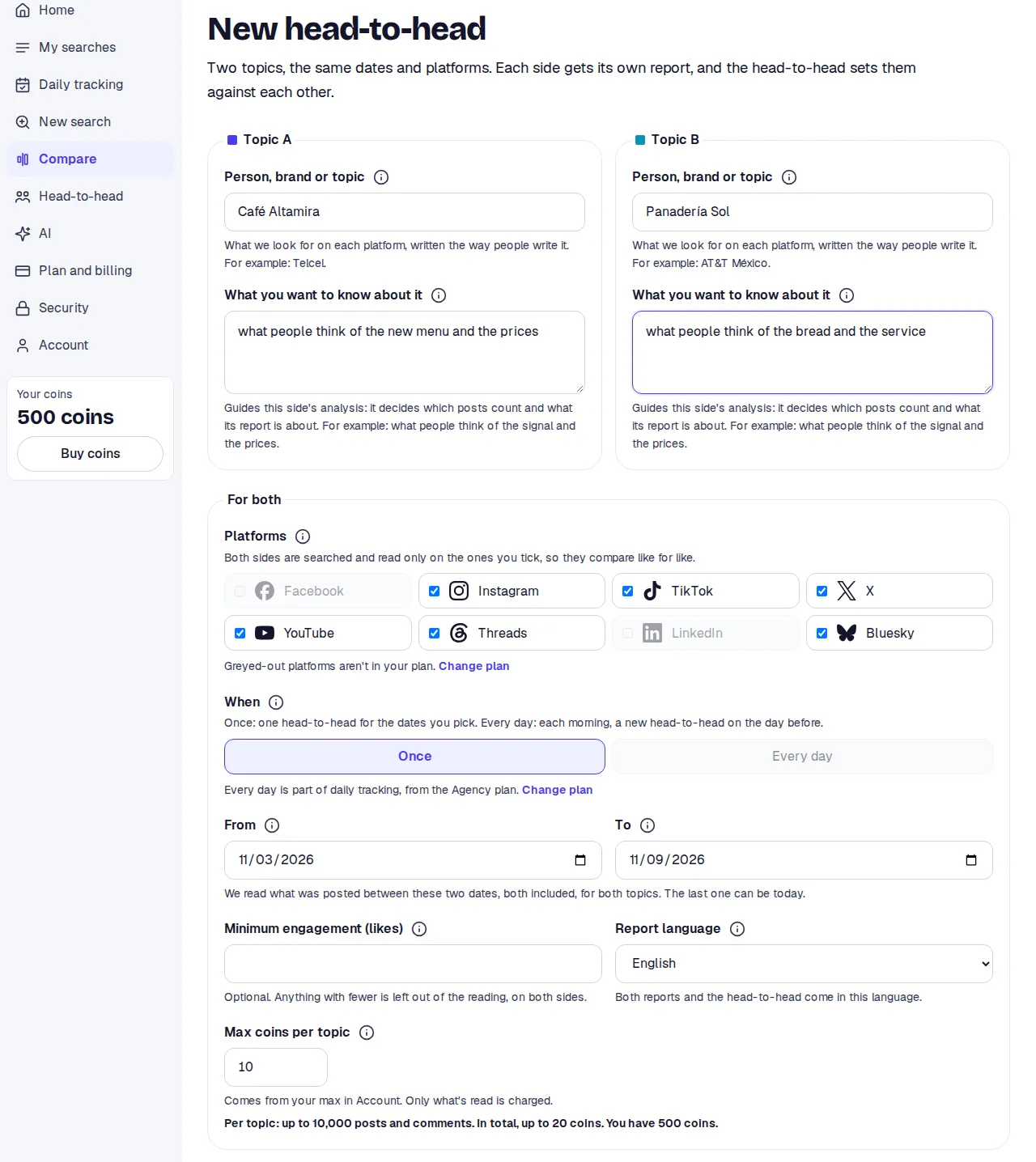
In the side menu press Compare. New head-to-head opens.
-
Under Topic A and Topic B write the two names, different ones, and for each What you want to know about it. Each side has its own question.
-
Under For both tick the Platforms. Both sides are searched and read only on those, so they compare like for like.
-
Under When pick Once or Every day. With Once, pick From and To; with Every day, First head-to-head and Last head-to-head, as in a tracking.
-
If you want, set a Minimum engagement (likes): anything with fewer is left out of the reading, the same on both sides. 1 to 1,000,000. Empty reads everything.
-
Pick the Report language. Both reports and the head-to-head come in it.
-
Under Max tokens per topic set each side’s cap. The head-to-head sets aside twice that.
-
Press Compare.
What to expect
Section titled “What to expect”The head-to-head’s page shows The two sides first, with each one’s state and the link to its report. The comparison appears when both finish; meanwhile the page refreshes itself.
The comparison
Section titled “The comparison”- Net sentiment of each topic.
- Share of the conversation: posts, comments or everything; by platform or by day.
- Who names whom: how many posts on each side name each topic.
- Engagement: posts and comments, interactions, per post and views.
- Where it’s won and lost: for each topic, what part is For, Neutral or Against, with the why and what people said.
- In short: Better sentiment, More of the conversation or Tie, with the same rules as when comparing searches.
- Repetition in the comments: None, Low, Medium or High, from near-identical text groups, phrases repeated by many accounts, hours with a spike, phrases on 3 or more platforms and how many distinct accounts comment. Totals only; accounts are never shown. High repetition is not always a campaign.
Daily head-to-head
Section titled “Daily head-to-head”There is one comparison per day. At the top, a day picker; the newest comes selected. It also shows Change vs earlier days: the day’s net sentiment minus the average of up to 7 earlier days. It needs at least 3 earlier days.
The Head-to-head tab
Section titled “The Head-to-head tab”In the side menu, Head-to-head lists all of yours, search comparisons included, under Running and Finished: the two topics, the state, the dates, the days done and each side’s split in the newest result.
Sharing and deleting
Section titled “Sharing and deleting”- A one-off head-to-head is shared from its topic A’s link: whoever opens it sees the head-to-head and that topic’s report. See Share.
- Daily head-to-heads cannot be shared.
- Delete head-to-head deletes both sides, with their reports and what was read. This cannot be undone.
Limits
Section titled “Limits”- From the Premium plan. Every day from Agency.
- The two topics must be different.
- If one side fails, there is no comparison. The failed search is given back. The Start another head-to-head button opens the form again.
- If your tokens do not cover both topics, the notice offers to cut both equally.